A Story can be easy to watch and still difficult to save. The download depends on whether a compatible photo or video file is available, how your browser handles downloads, and whether you have permission to use the media. This guide explains a careful process for public Stories and helps you find a file that appears to have vanished after saving.
Before downloading: check access and rights
The igstory.info viewer searches available media from public accounts. It does not unlock private or limited-audience Stories. A download button appears only when a supported file is returned. If the item is not available, repeating the search cannot recreate a deleted or expired Story.
A publicly viewable image is still somebody’s creative work. Save your own media freely; for someone else’s content, obtain permission before reposting, editing, using it in an advertisement or presenting it as yours. A private reference copy and public redistribution are different uses. If in doubt, ask the creator.
How to save an available Story
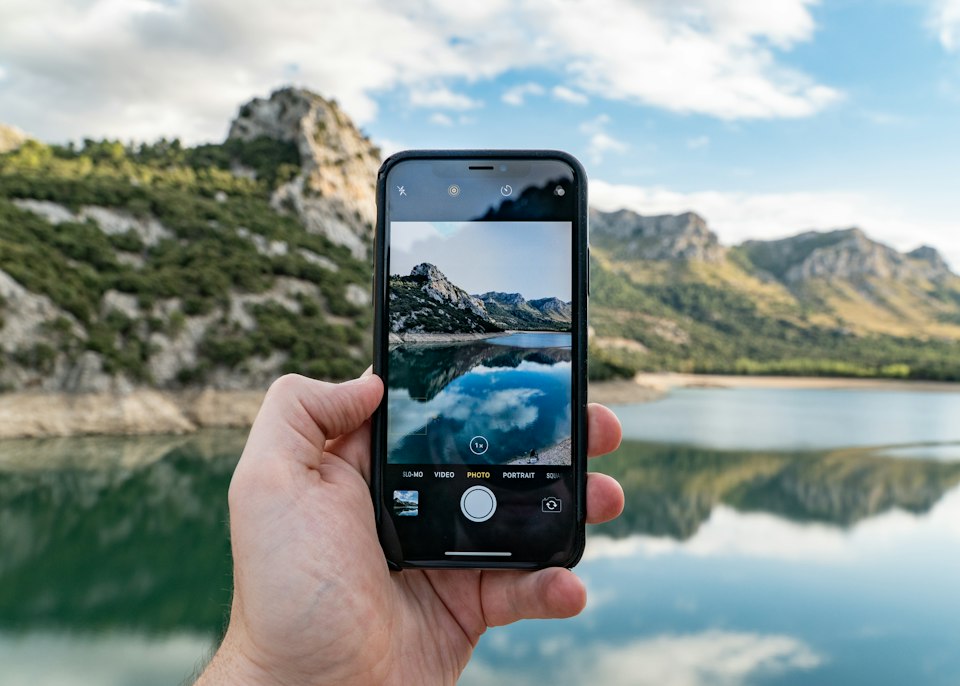
Open the Story Viewer and enter the public account’s exact username or profile link. Open the Stories results, then select the photo or video you want. In the preview, look for the Download control. If it appears, select it and let the browser finish the transfer before closing the tab.
This sequence matters. A thumbnail may be a preview, and saving that thumbnail instead of the supplied file may give you a smaller image. The viewer cannot promise a particular resolution or format; quality depends on the available source file.
Downloading on iPhone
In Safari, tap Download in the Story preview if available. Depending on your browser settings, iOS may save the file to the Downloads folder in the Files app rather than the Photos app. Open Files, look under Downloads or your chosen save location, and verify that the file plays or opens. You can then use the Share menu to move an eligible copy into Photos.
If tapping the control opens media in a new tab, use the browser’s available Share or Save options. Do not assume every video can be saved from every preview; if no compatible file is supplied, the viewer may offer viewing only. Avoid third-party prompts asking for an Instagram password.
Downloading on Android
Tap the Download button in the viewer and check your browser’s Downloads section or the device’s Downloads folder. Some browsers ask you to confirm a filename or destination. A notification may appear when the file completes. If the preview opens in a new tab, use your browser’s download option for that file where supported.
If a download fails, check free storage, mobile network stability and whether the file was already saved under a similar name. A blocked popup is different from a failed media request, so note any message shown in the browser before retrying.
Saving on a desktop computer
Open the viewer in a desktop browser, search the public username and select the Story. Use the download control inside the preview. Your browser may save automatically to Downloads or ask for a destination. Open the local file before relying on it. If the file does not play, it may be incomplete; wait and retry once.
A browser’s ordinary “Save image as” command may save only a page graphic or a smaller preview. Prefer the file provided through the preview when available.
Photos, videos and filenames
Photos and videos may be delivered in different formats. A file extension does not prove the quality, authenticity or completeness of the underlying media. Check that the saved photo opens at a useful size and that a video plays through to the end. Rename your own local copy with the date and account name if you need to organize it; retain attribution and permission records when the media belongs to someone else.
Do not assume that a Story’s stickers, interactive elements, music or link behavior will be preserved in a downloaded image or video. What you get depends on the source file made available.
What if there is no Download button?
First confirm that you opened a Story result, not a post thumbnail or an illustration on the homepage. Then test whether the Story preview itself opens. If it does, the source may have supplied a preview without a compatible downloadable file. If it does not, the Story may have expired or the source may be unavailable. See our troubleshooting checklist.
A missing button is not a request to install an unrelated browser extension, paste session cookies or sign in to a third-party website. Keep the account and device secure.
If you are the Story’s owner
Instagram’s own app is generally the best place to manage your original uploads and any account archive available to you. Check the app’s save and archive controls under your own account rather than relying on a public viewer to retrieve older content. Settings can change, so follow the labels currently shown in the app.
Frequently asked questions
Can I download a private Story?
This site cannot access private or limited-audience Stories through a public search.
Can I download an expired Story?
A public viewer cannot guarantee access after a Story expires. The owner may have saved a copy or added it to a Highlight, but that is separate from an active public Story.
Why is a file in Files rather than Photos on iPhone?
Your browser may save downloads to the Files app. Look in Downloads first, then move a suitable file using the Share menu.
Does downloading allow me to repost someone else’s Story?
No. Visibility and copyright permission are separate issues. Seek the owner’s consent before redistributing their work.
Organizing a downloaded file
If you have permission to keep a media file for a legitimate project, store the creator’s handle, the date you obtained it and the permission you received alongside your local copy. A filename such as account-date-story-01 is more useful than several copies called download-1. This practice also helps you avoid sharing an image after a creator has asked you to stop using it.
Check the saved file before deleting your browser tab. A video with a visible thumbnail can still be incomplete or fail to play; a photo can have lower resolution than its preview suggested. If you need a specific quality for your own work, use the original media from its owner whenever possible. The viewer only offers whatever the upstream source supplies.
Troubleshooting by symptom
If tapping Download does nothing, try another browser or disable a blocker for the page and retry once. If a new tab opens but no file appears, inspect your browser’s download list and the device’s Files or Downloads folder. If a file appears but will not open, check its size and retry on a stable connection. If no Download button appears at all, the current result may not have a compatible file; changing folders on your phone will not create one.
Do not install software solely because a pop-up claims it can unlock a private Story. The public viewer does not require an Instagram password or a separate app. Keep the process limited to the available media and your browser’s ordinary save controls.
Start with the available preview
Search a public username in the Instagram Story Downloader and use Download only when the file is available. For a broader introduction, read how to view Stories without an account.