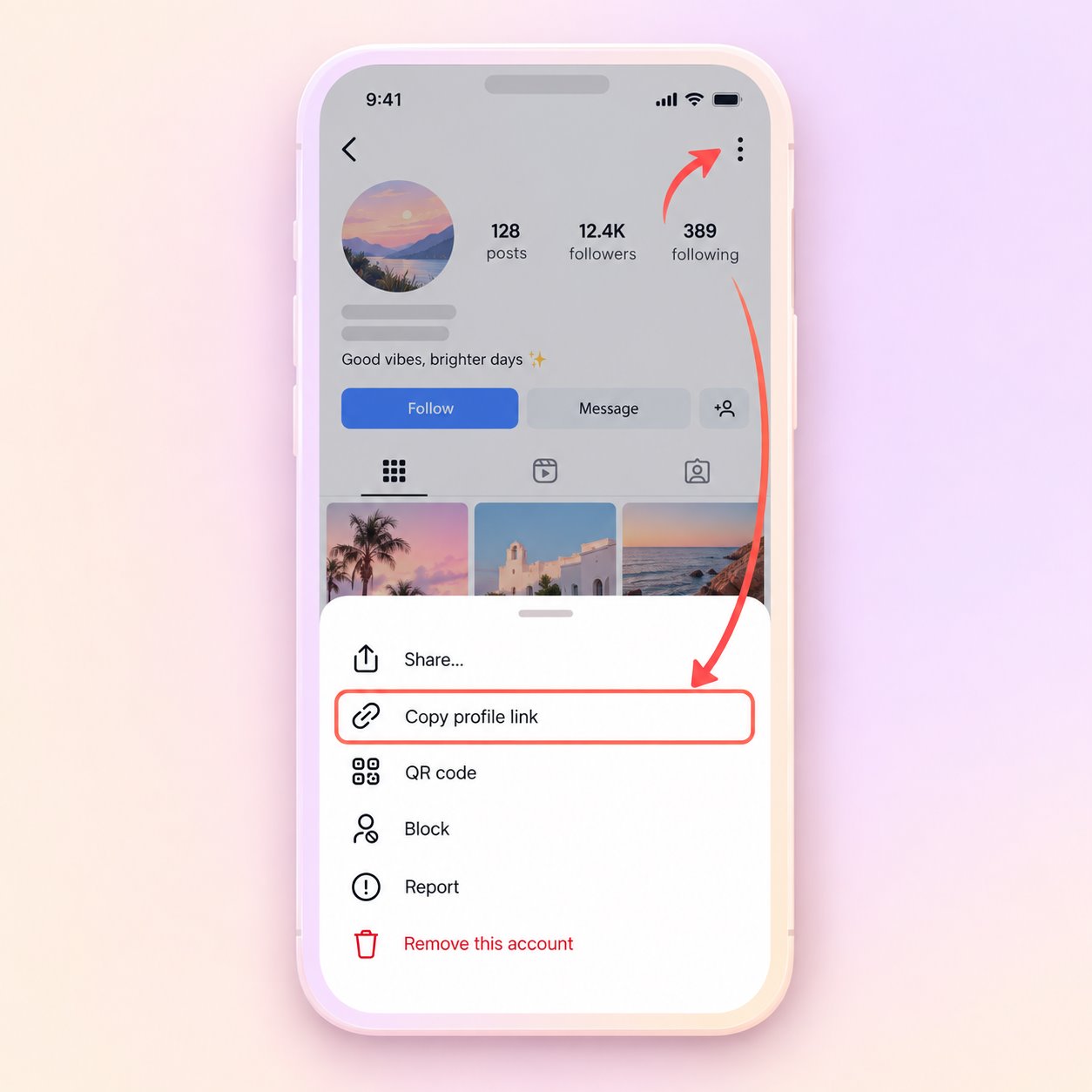
1
Enter a username
Type @username or paste a profile link.
Enter a public Instagram username or profile link to see stories and posts currently available. Results depend on the source and may change.
Use a public username or an Instagram profile link. No account credentials are required.
Type @username or paste a profile link.
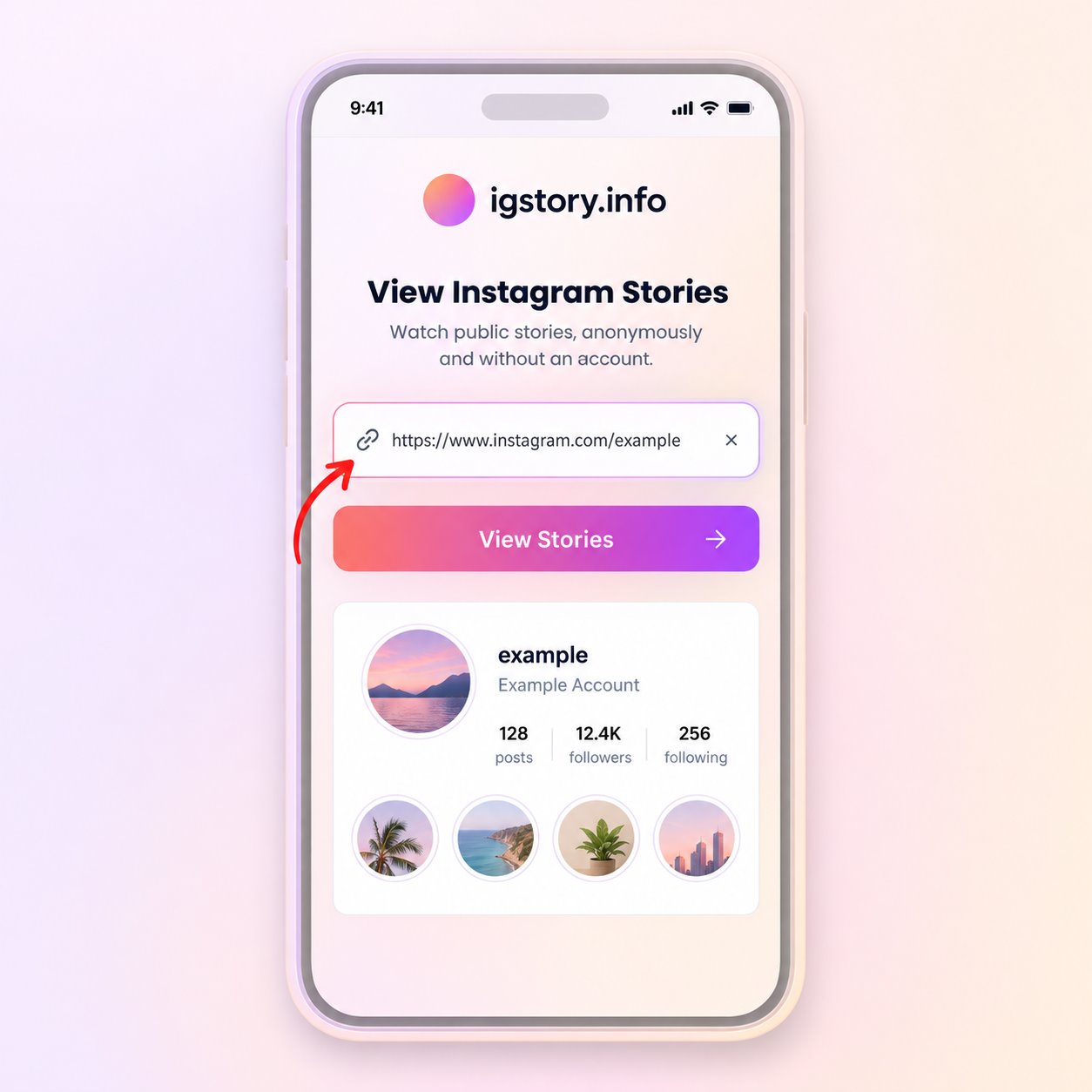
Switch between the Stories and Posts tabs. Private profiles cannot be viewed.
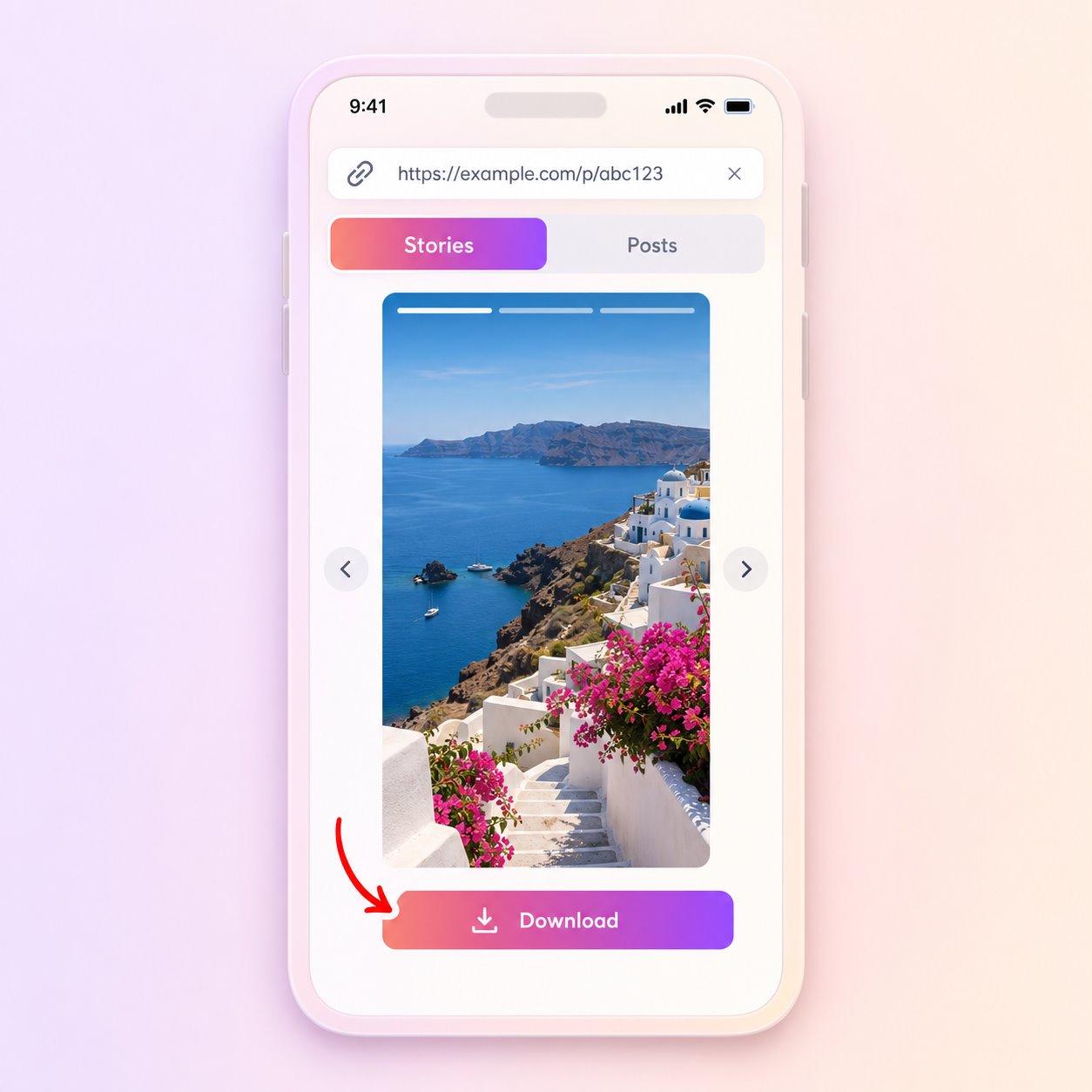
Preview the media and use Download when the file is available.
Search a username to check which stories are currently available. A story can expire or become unavailable, so an empty result does not necessarily mean the profile has no activity.
Open a result to see the photo or video. If the source provides a file, you can save it from the preview.
Start with the result you need: active public stories, a profile overview, recent posts or a supported media file.
Search a public username to check which stories are currently available. Use this when you want to open a recent story without signing in.
Open a browser-friendly overview of a public account, including the profile details and media that the source can currently return.
Browse returned public photo and video posts in a clean grid. This is useful when you want to review recent media rather than active Stories.
Preview an available public photo or video first. A download control appears only when the source provides a compatible media file.
Choose the page that matches the public photo, video, Reel or Story you want to preview.
igstory.info is an independent viewer. It displays the public stories and posts returned for a username without asking for an Instagram login.
Private or restricted content is not accessible.
You can search without creating an account on this site.
A missing result can reflect a source outage or an expired story.
Start with a username or profile link—there is no account setup step.
Helpful messages explain when a profile is private, a story has expired, or a source is unavailable.
The responsive layout is designed for phones, tablets and desktop browsers.
Practical answers about public Instagram Stories, profiles and the results available through the viewer.
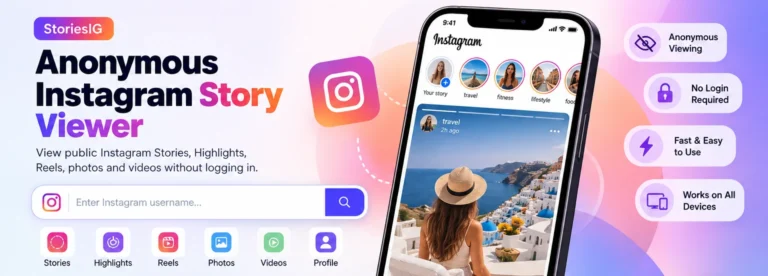
If you are searching for StoriesIG, you are probably looking for a simple way to view public Instagram Stories from a web…
Articles →
Understand the differences between Instagram Stories, Highlights, posts and Reels, including visibility, timing and what a public viewer can actually return.
Articles →
A clear guide to saving an available public Instagram Story on iPhone, Android or desktop, including file limits, permission and troubleshooting.
Articles →Open a photo or video in the viewer. If a compatible file is available, the preview includes a Download button. Availability and quality depend on the source.
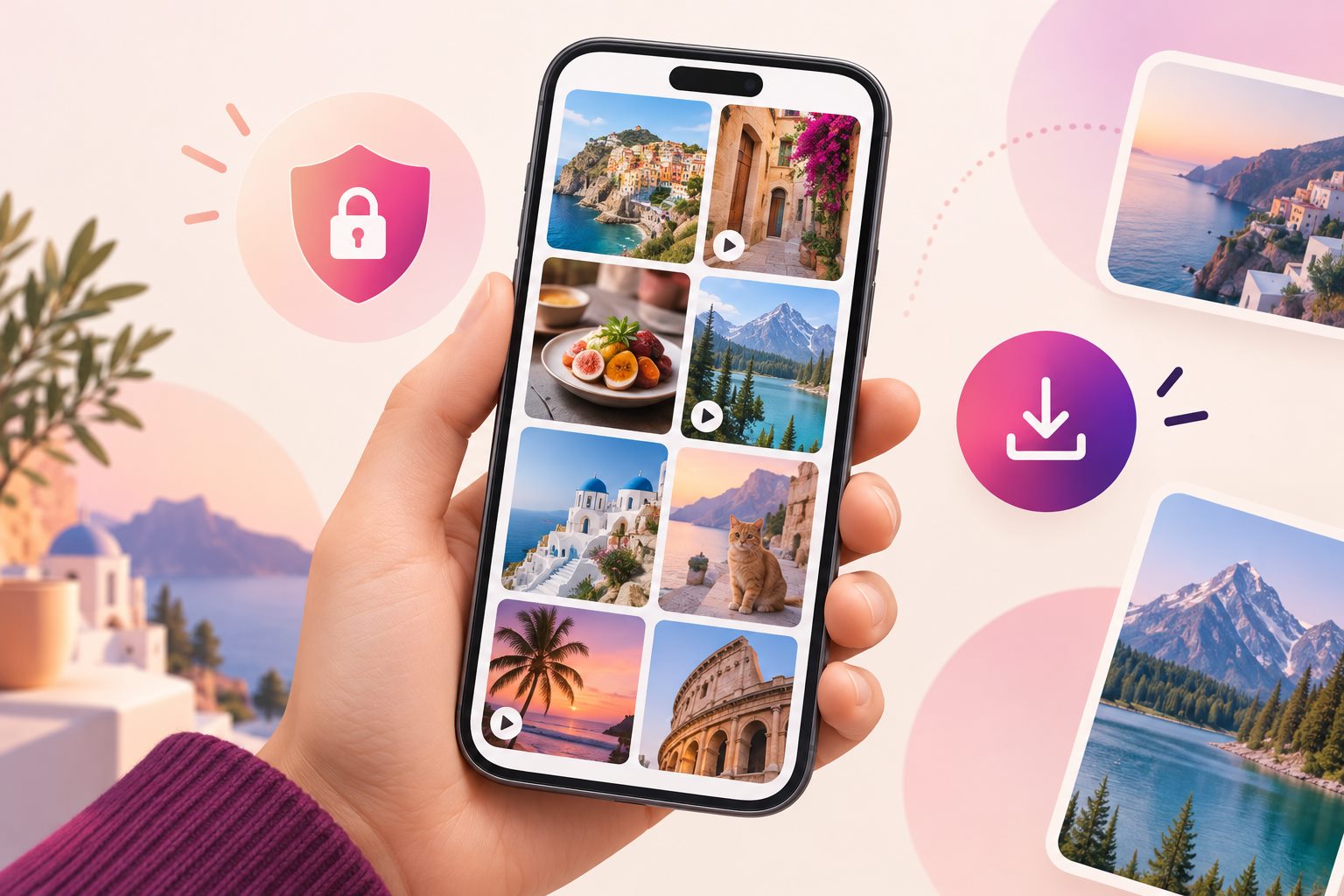
A viewer can only return media that is available from a public profile and supported by its source. It cannot open a private account, reveal a Close Friends story, or recover a story that has already disappeared. If you see an empty result, check the spelling of the username and confirm that the account is public before trying again.
For a broader account overview, use the Instagram Profile Viewer. It can help you distinguish between a valid public profile and a story-specific availability issue.
Open the returned photo or video and make sure it is the item you intended to view. When a compatible file is supplied, the preview includes a download action. File quality depends on the version exposed by the source, so the saved copy may not always match the creator’s original upload.
Instagram stories are temporary, and creators can remove them early. A network delay or a temporary upstream issue can also produce an empty result. Try a second public username: if that works, the first story may be unavailable; if it does not, return later rather than repeatedly refreshing.
Read the frequently asked questions or browse our Instagram viewing guides for practical troubleshooting. You can also review the site’s privacy policy before using the tool.
Clear answers about viewing available public Stories without a login, downloads, privacy limits and missing results.
You do not sign in to Instagram through igstory.info, so the search is not connected to your Instagram username. No online service can promise absolute anonymity; your browser, network and this website may still process technical data as described in the privacy policy.
No. Enter a public username or profile URL without providing Instagram credentials or creating an account on this site.
The public viewer can be used without an Instagram login. Features, availability and any usage safeguards may change, so the site does not promise permanent, unlimited access.
No. Private accounts, Close Friends Stories and restricted media remain unavailable. The viewer does not bypass Instagram privacy controls.
The responsive interface is designed for current mobile and desktop browsers on iPhone, iPad, Android, Windows, macOS and Linux. Results can vary with browser settings and network conditions.
A download action appears when the source supplies a compatible public photo or video file. Not every item is downloadable, and the available quality may differ from the creator’s original upload.
Highlights are a separate Instagram format. The current viewer does not promise Highlight access; an expired Story cannot be recovered unless a supported public Highlight is specifically returned by the source.
Because you do not use your Instagram account on this site, your Instagram username is not submitted through the viewer. However, igstory.info does not make an absolute guarantee about every upstream system or technical log.
Never enter an Instagram password or verification code. The viewer is limited to available public content, but you should still review the privacy policy, keep your browser updated and avoid downloads you do not trust.
Search a public username, open an available item and choose Download when that control appears. Your browser decides whether the file goes to Downloads, Files or another configured location.
Data handling depends on the website and hosting configuration. Review the published privacy policy for current information about logs, cookies, retention and third-party services; the FAQ does not make a no-logging guarantee.
Yes, when the account is public and the source can retrieve active media. Verified status or popularity does not guarantee that every Story, post or Reel will be available.
igstory.info provides a focused public-media search without asking you to sign in to Instagram. It does not provide private content, account interaction, comments, follows or the complete Instagram experience.
Yes, but the browser or network administrator may retain local history, downloads or traffic records. Use a permitted device and clear local data when appropriate; the site cannot control workplace monitoring.
The username may be misspelled or changed, the profile may be private, disabled or restricted, there may be no active Story, or the upstream source may be temporarily unavailable.
Access depends on local law, network policy, hosting availability and whether Instagram and igstory.info are reachable in your location. The site does not claim to bypass geographic or organizational restrictions.
A separate MP3 extraction feature is not guaranteed. Use only the download controls actually shown for the returned public media, and respect music and creator rights.
The current interface supports English, French, Spanish and Brazilian Portuguese. Instagram media remains in the language used by its creator.
Availability can be affected by source limits, rate controls and service capacity. Avoid automated or excessive requests and retry later if the service asks you to wait.
Laws and platform rules differ by country and use case. Public visibility does not remove copyright, privacy or image rights. Obtain permission before redistributing or commercially using someone else’s media.
Enter a username or a profile link to see what is available now.
Public profiles only. Results depend on the source.