Full image preview
Open the returned photo at a useful size before choosing whether to save it.
Preview and save available photos from public posts
Paste the URL of a public photo post or enter a public username. Open the returned image first, then use the download control when the source provides a compatible photo file.
Find Public Photos
Paste a public post or profile link, or enter the public username. Preview the returned result before saving a supported file.
A screenshot includes interface controls and may reduce clarity. A photo downloader instead requests the public media file exposed by the source, letting you preview the image before you save it.
Open the returned photo at a useful size before choosing whether to save it.
Browse the images the source can retrieve for a supported public post.
Save the supported media file without capturing browser or app controls around it.
Use a public link or username on mobile and desktop without extra software.
The same short workflow works on phones, tablets and desktop browsers.
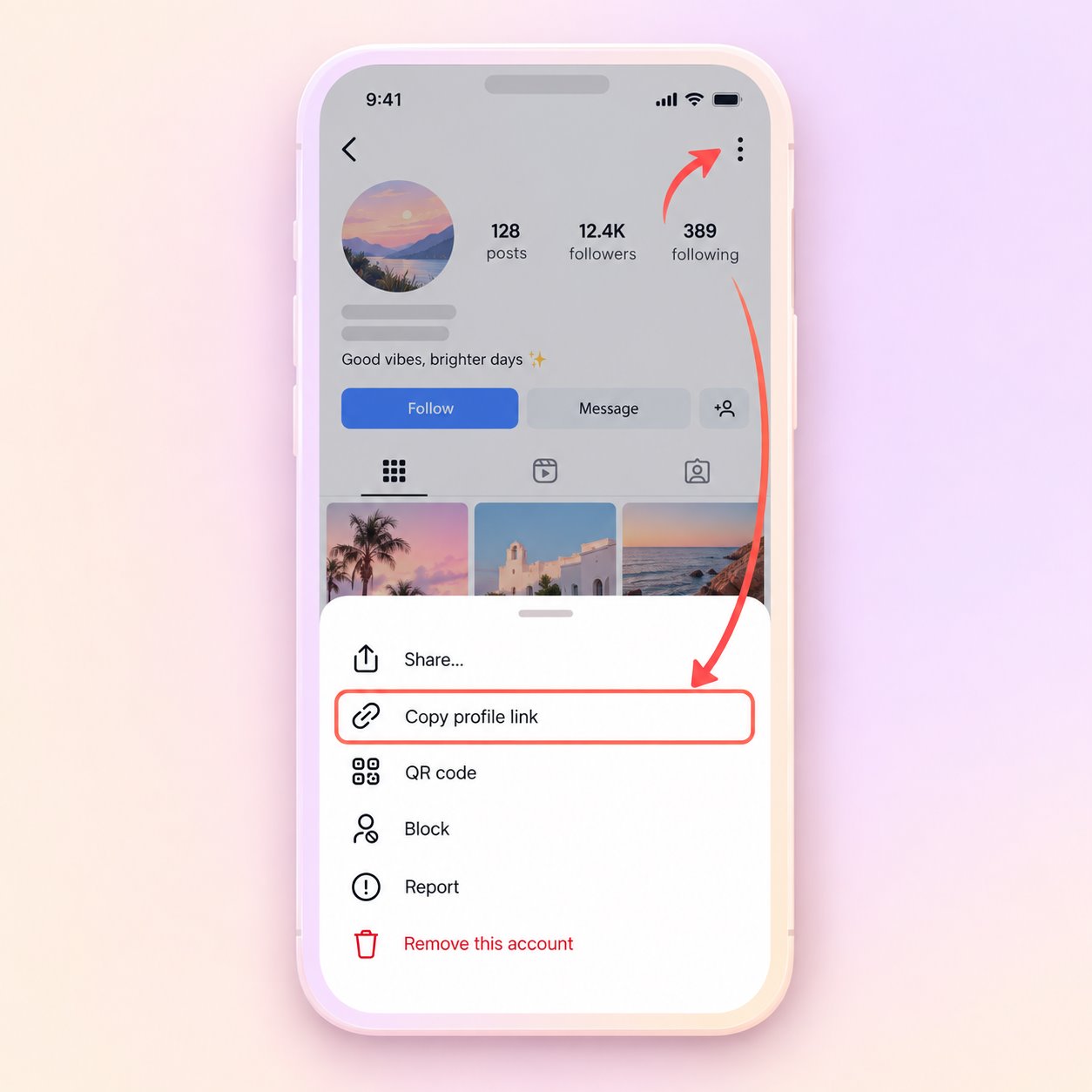
Open the public post or profile, use its share menu and copy the URL. A public username can also be used.
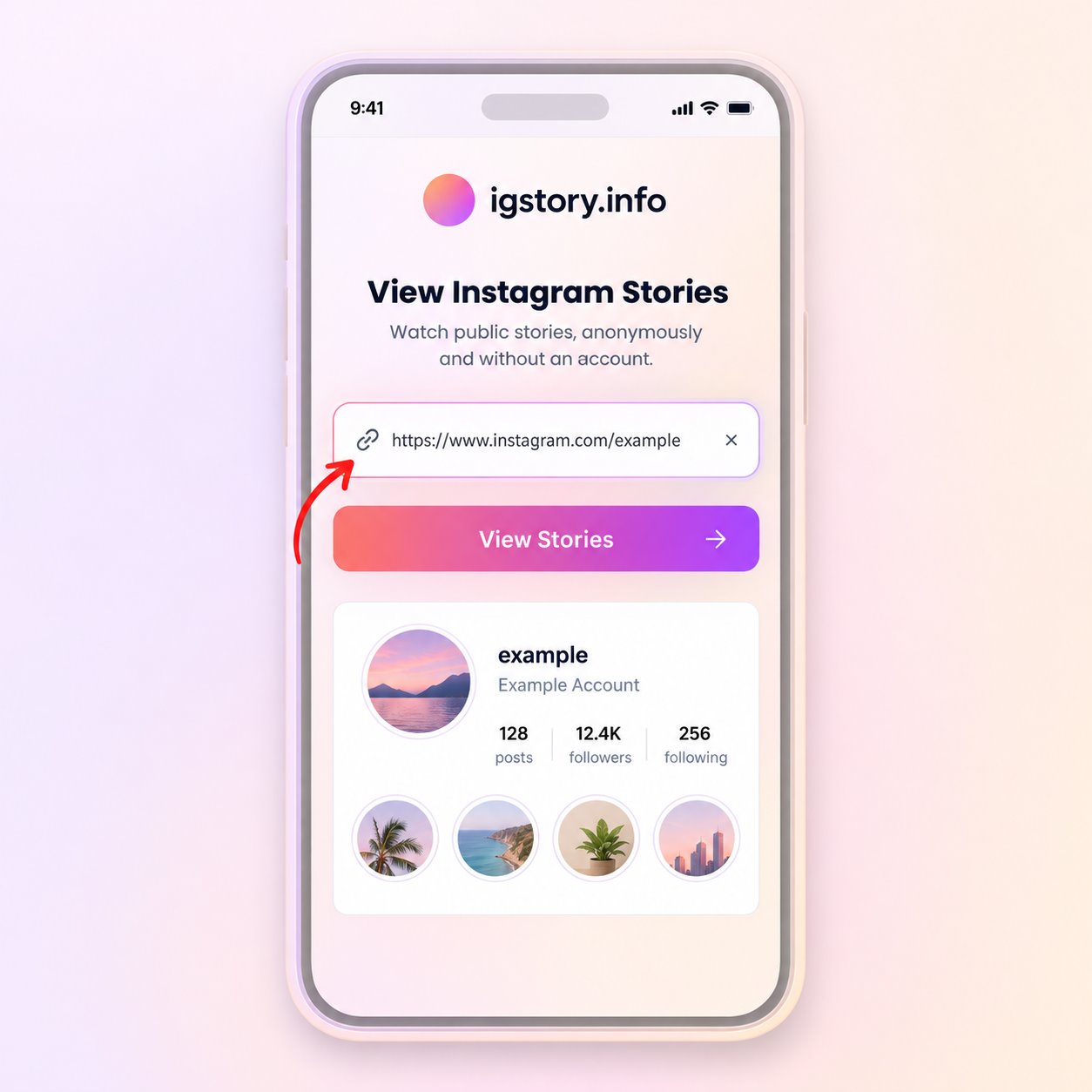
Paste the URL or type the username in the search field, then start the public media lookup.
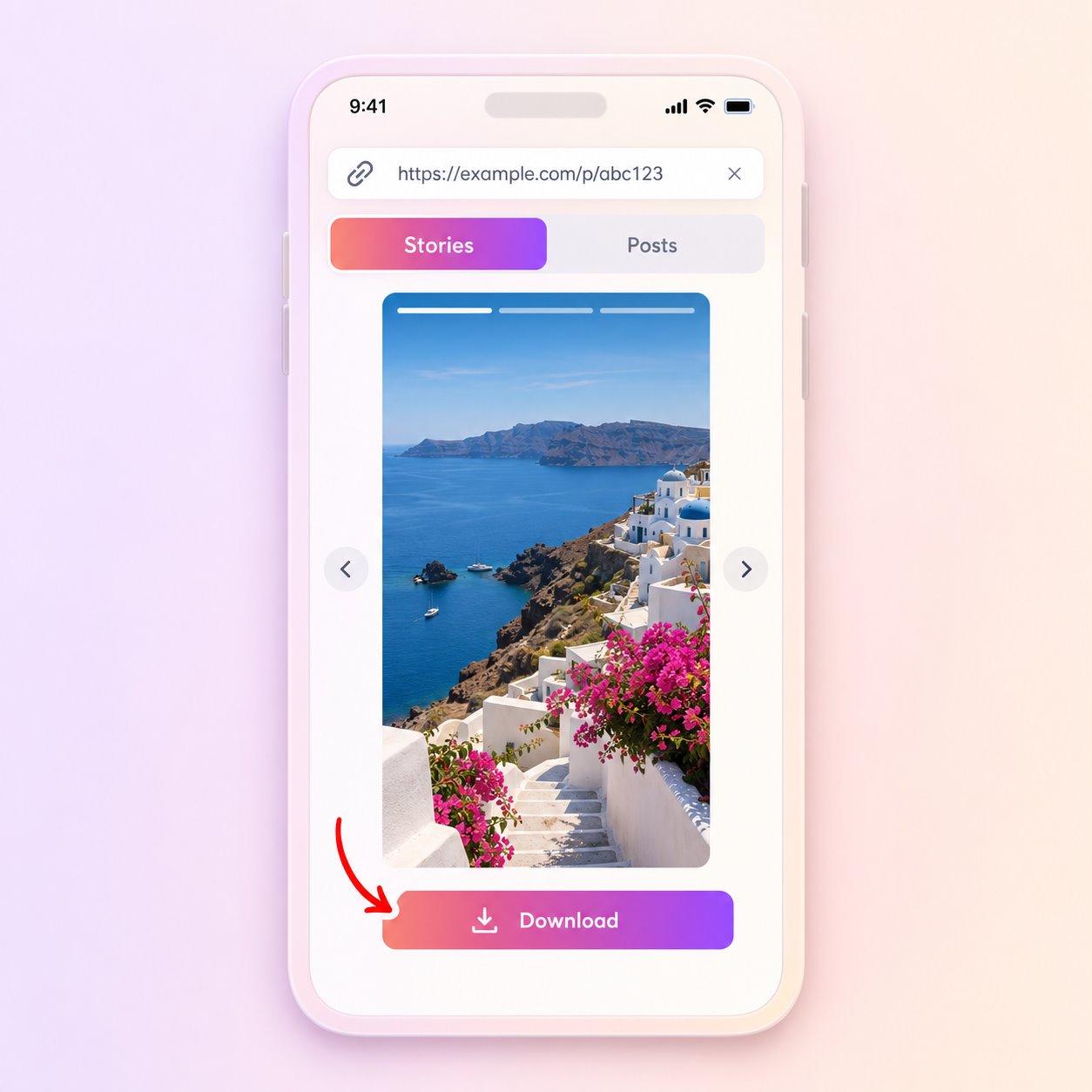
Open the matching result and use Download only when a compatible file is provided by the source.
Not every post or carousel item is guaranteed to be available. Account privacy, deleted posts and source limitations all affect the result.
The tool does not bypass private accounts, access controls or deleted content. It also cannot guarantee that every public item will include a downloadable source file.
Use saved media only when you own it, have permission or otherwise have the right to retain it.
Save an available copy of a photo you published on your own public account.
Keep a permitted reference image for a mood board, research note or review.
Open a larger preview when a small in-app thumbnail is not enough for an authorized review.
The tool saves the version that the public source makes available. It cannot restore detail removed by earlier compression or promise the creator’s original camera file. Image dimensions can differ across posts and carousel items.
Check the link and public account status before trying the same request again.
Answers about public media, file availability, quality and responsible use.
Yes, if the photo is public and the source returns a supported image file.
It can show carousel images that the source currently returns. Availability may differ by post.
You receive the available source version, which may already have been resized or compressed.
No. It cannot bypass a private account or other access restrictions.
Only when you have the necessary permission or another valid right to do so. Public visibility does not remove copyright.
Paste a public link or enter a username to check what is currently available.
Find Public Photos