Current Story results
Check photos and videos that are still available from the public profile.
Save supported Story photos and videos before they expire
Enter a public username or profile link to check currently available Stories. Preview a Story photo or video, then download it only when the viewer receives a compatible file from the source.
Find Public Stories
Paste a public post or profile link, or enter the public username. Preview the returned result before saving a supported file.
Stories are time-sensitive. They can expire, be removed early or be shared with a limited audience. The downloader checks only Stories that are public and currently available for the username you search.
Check photos and videos that are still available from the public profile.
Open each returned Story item before selecting a supported download.
Start with a public username when you do not have a direct Story URL.
The tool never needs your Instagram password to search public content.
The same short workflow works on phones, tablets and desktop browsers.
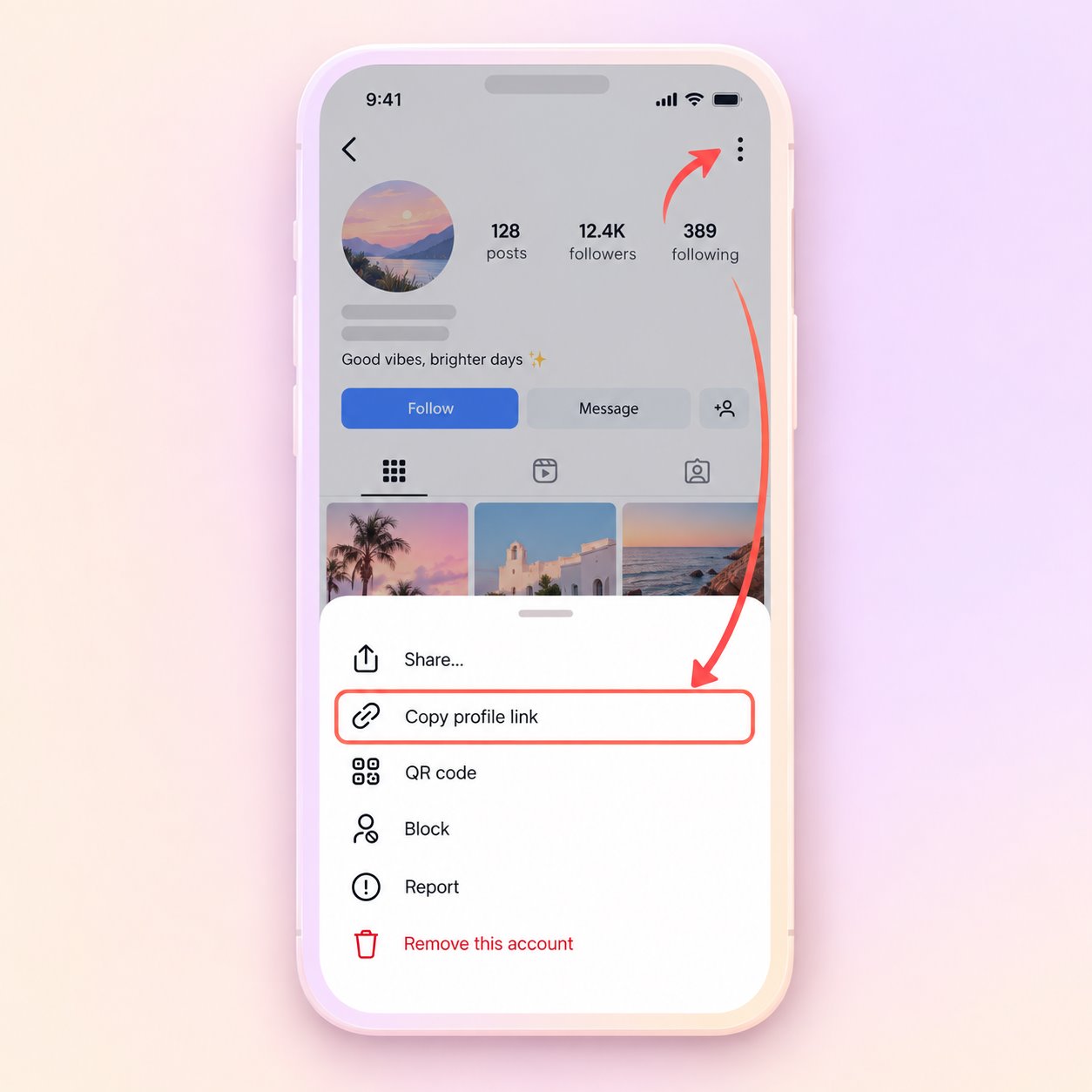
Open the public post or profile, use its share menu and copy the URL. A public username can also be used.
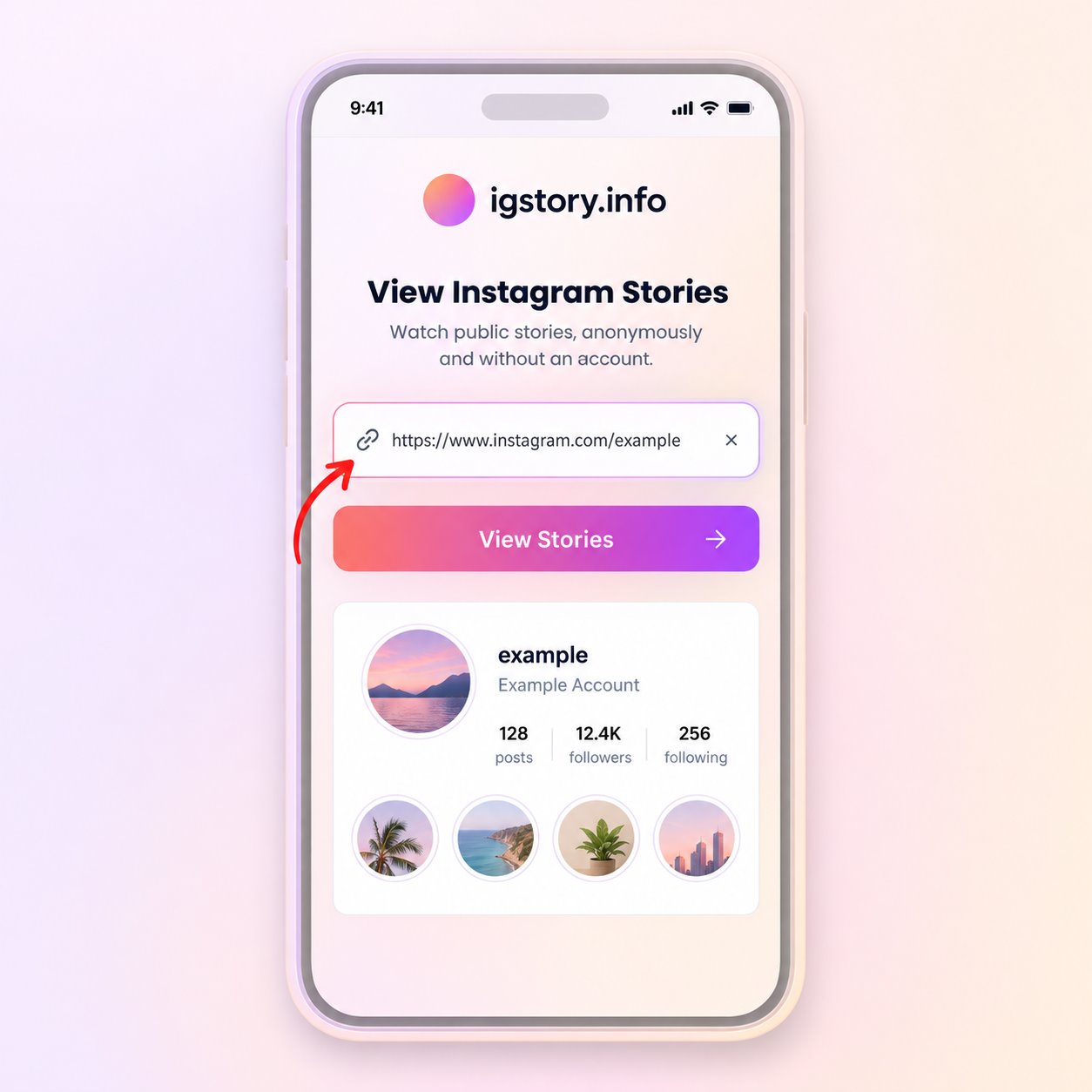
Paste the URL or type the username in the search field, then start the public media lookup.
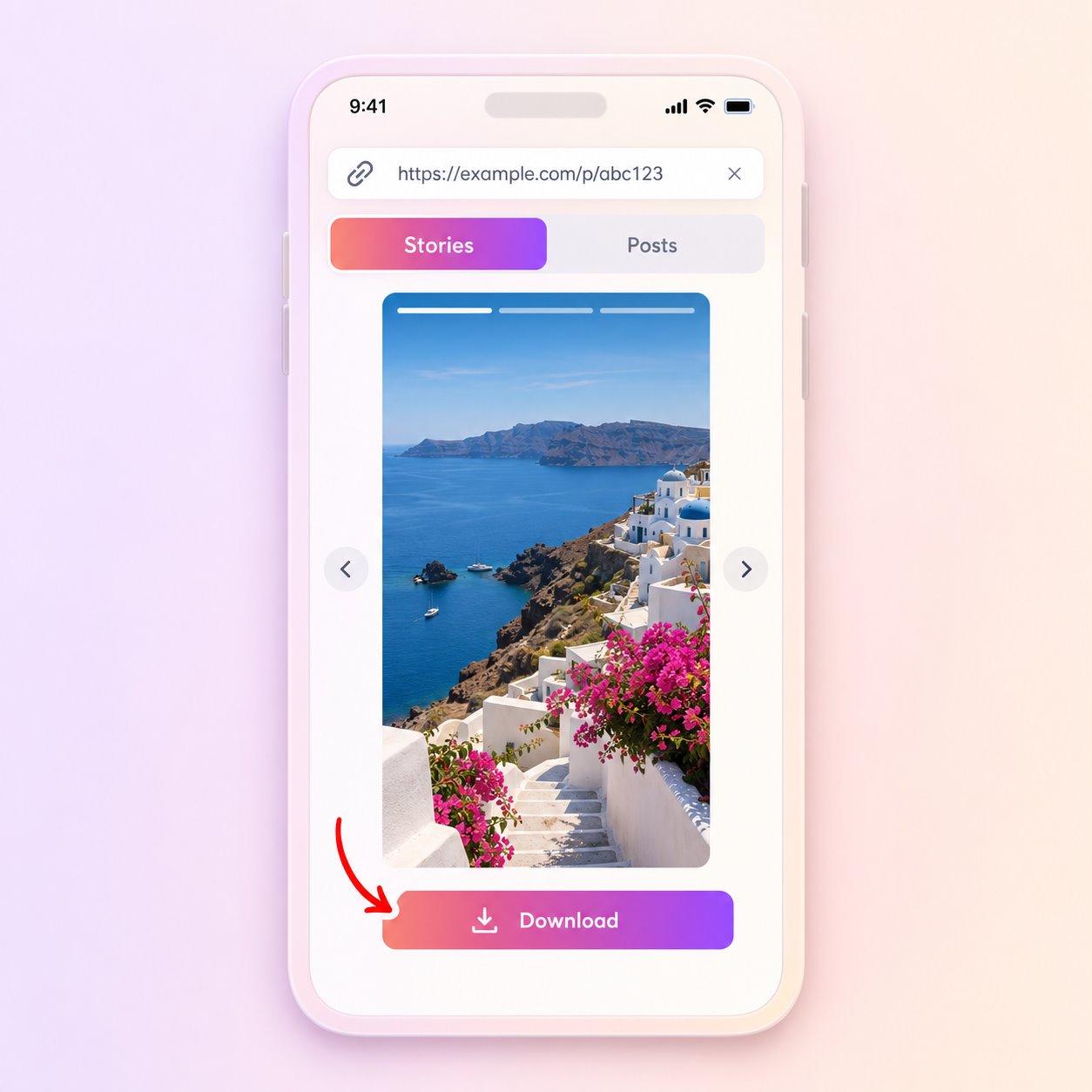
Open the matching result and use Download only when a compatible file is provided by the source.
An empty result does not prove that the account has never posted a Story. It can mean there is no active public Story, the content has expired or the source is temporarily unavailable.
The tool does not bypass private accounts, access controls or deleted content. It also cannot guarantee that every public item will include a downloadable source file.
Use saved media only when you own it, have permission or otherwise have the right to retain it.
Keep a permitted copy of your own public Story before its normal availability window closes.
Save an authorized public Story for reporting or campaign documentation.
Review an available Story photo or video later when you have permission to retain it.
Instagram Stories are normally temporary, and creators can remove them sooner. The viewer cannot recover an expired Story or reveal Close Friends content. Highlights are a separate format and may not appear as active Story results.
Check the link and public account status before trying the same request again.
Answers about public media, file availability, quality and responsible use.
Yes, when the Story is public, active and returned with a supported media file.
No. The tool is not an archive and cannot recover a Story that is no longer publicly available.
No. Private, restricted and Close Friends Stories remain unavailable.
There may be no active Story, it may have expired, or the source may be temporarily unavailable.
No. Highlights are saved collections on a profile and may not be returned as currently active Story media.
Paste a public link or enter a username to check what is currently available.
Find Public Stories