Vertical video preview
Review the returned short-form video before saving it to your device.
Save available public Reels for offline reference
Paste a public Reel link or enter the creator’s public username. The viewer checks the media currently available and shows a download option when the source supplies a compatible video file.
Find Public Reels
Paste a public post or profile link, or enter the public username. Preview the returned result before saving a supported file.
Reels combine vertical video, timing and often audio in one short format. This page is designed for that specific workflow: locate a public Reel, preview the returned video and save the supported file when one is available.
Review the returned short-form video before saving it to your device.
When the supplied file contains audio, it remains part of the saved Reel file.
Use the tool from a phone, tablet or computer without installing another app.
Start with a direct Reel URL or search the public creator account.
The same short workflow works on phones, tablets and desktop browsers.
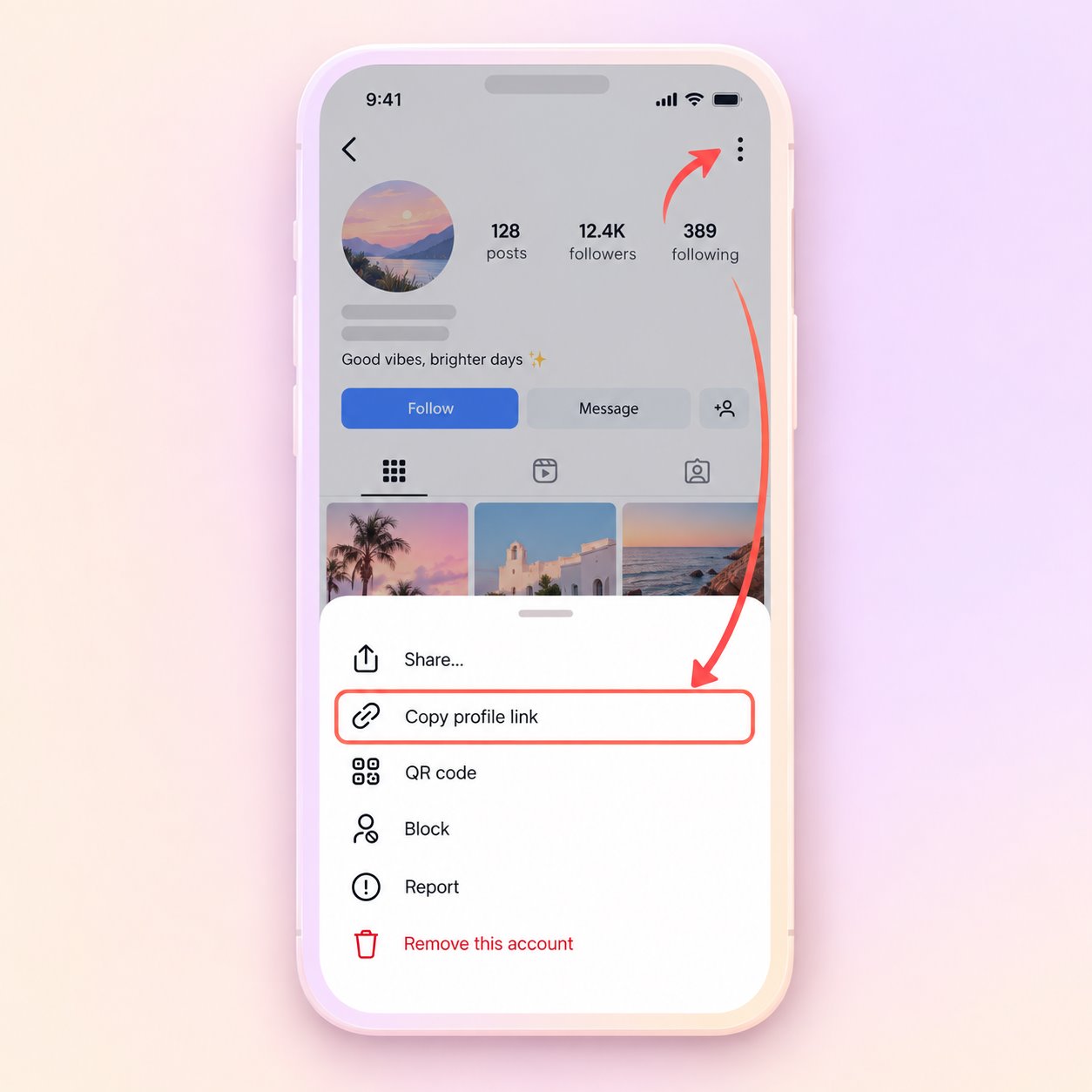
Open the public post or profile, use its share menu and copy the URL. A public username can also be used.
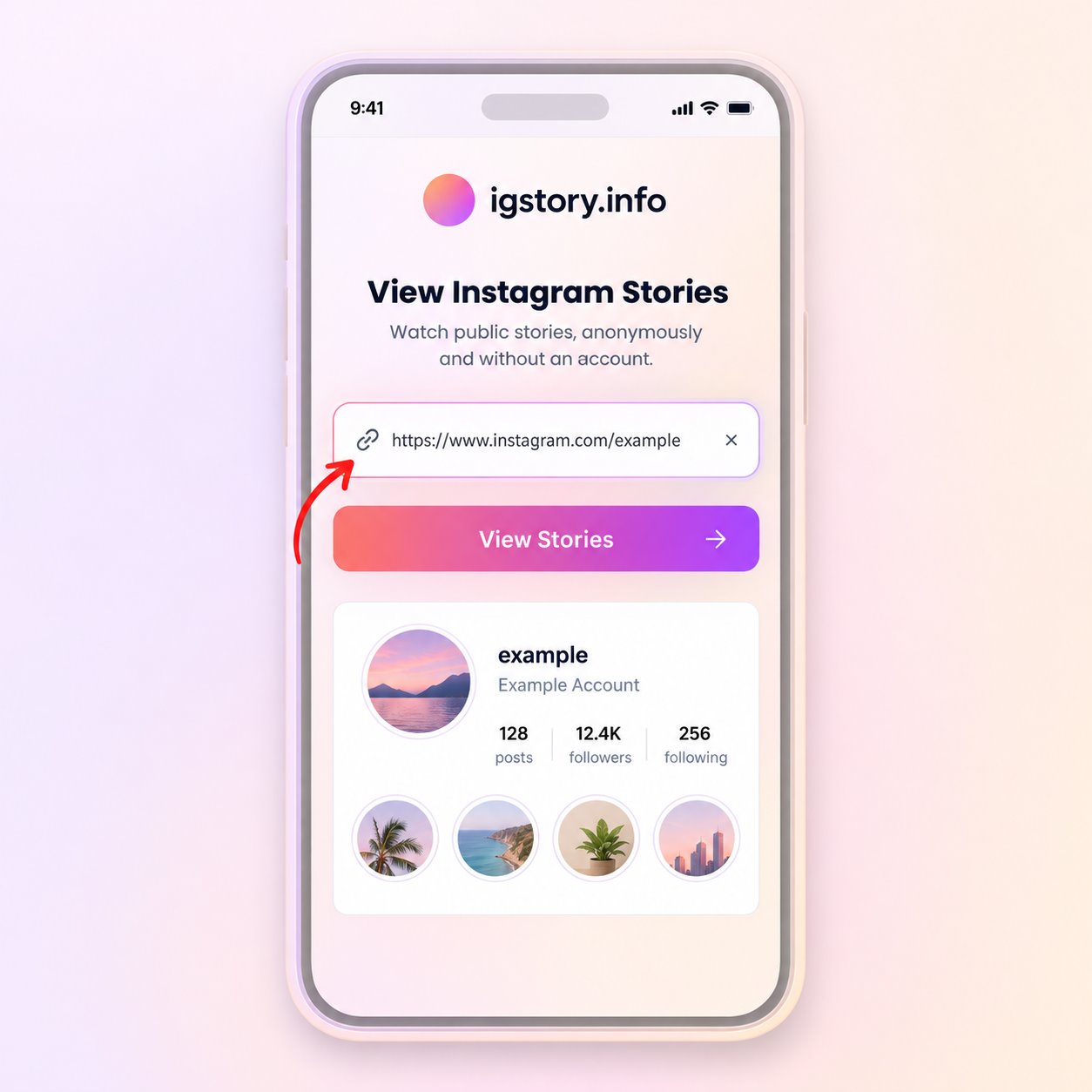
Paste the URL or type the username in the search field, then start the public media lookup.
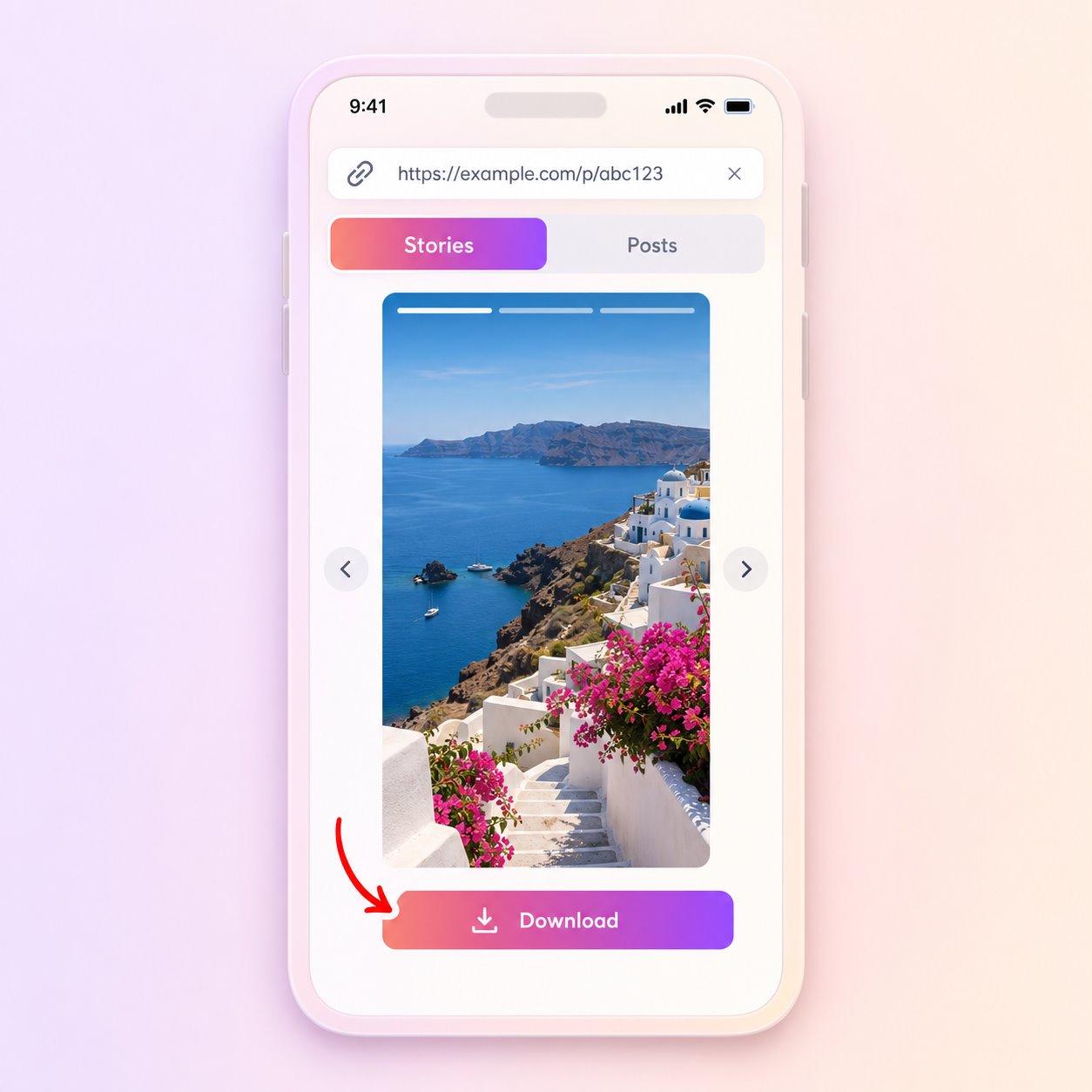
Open the matching result and use Download only when a compatible file is provided by the source.
The downloader does not unlock private accounts or recover deleted media. A Reel must still be public and retrievable from the source at the time of your request.
The tool does not bypass private accounts, access controls or deleted content. It also cannot guarantee that every public item will include a downloadable source file.
Use saved media only when you own it, have permission or otherwise have the right to retain it.
Keep a public Reel you are permitted to use as a reference for pacing, framing or editing notes.
Save an available file when you need to review the video later without reopening the page.
Keep a local copy of your own public Reel when a compatible source file is returned.
The available resolution and file type come from the upstream source. The downloader does not invent a higher-resolution master or add missing audio. Preview the result and check the saved file before relying on it for an editing workflow.
Check the link and public account status before trying the same request again.
Answers about public media, file availability, quality and responsible use.
Yes, when the Reel is public and a compatible file is returned. You do not need to sign in on this site.
It can include audio when audio is present in the file supplied by the source. Availability varies by Reel.
No. Private, restricted and otherwise non-public Reels are unavailable.
The Reel may be unavailable, removed or unsupported, or the source may not currently supply a downloadable file.
Downloading a public file does not grant reuse rights. Ask the creator and respect copyright, privacy and platform rules.
Paste a public link or enter a username to check what is currently available.
Find Public Reels