Public video-post search
Start with a direct post link or browse returned public account media.
Save supported videos from public Instagram posts
Paste a public video-post URL or enter the public username. Preview the returned video in your browser and use the download option when a compatible file is available.
Find Public Videos
Paste a public post or profile link, or enter the public username. Preview the returned result before saving a supported file.
This page focuses on standard video posts and longer clips returned for a public account. It gives you a preview step so you can confirm the media before saving the supported file.
Start with a direct post link or browse returned public account media.
Confirm the video content in the browser before saving the available file.
Audio remains included when it is present in the file supplied by the source.
Open the downloader on a phone or computer without installing an extension.
The same short workflow works on phones, tablets and desktop browsers.
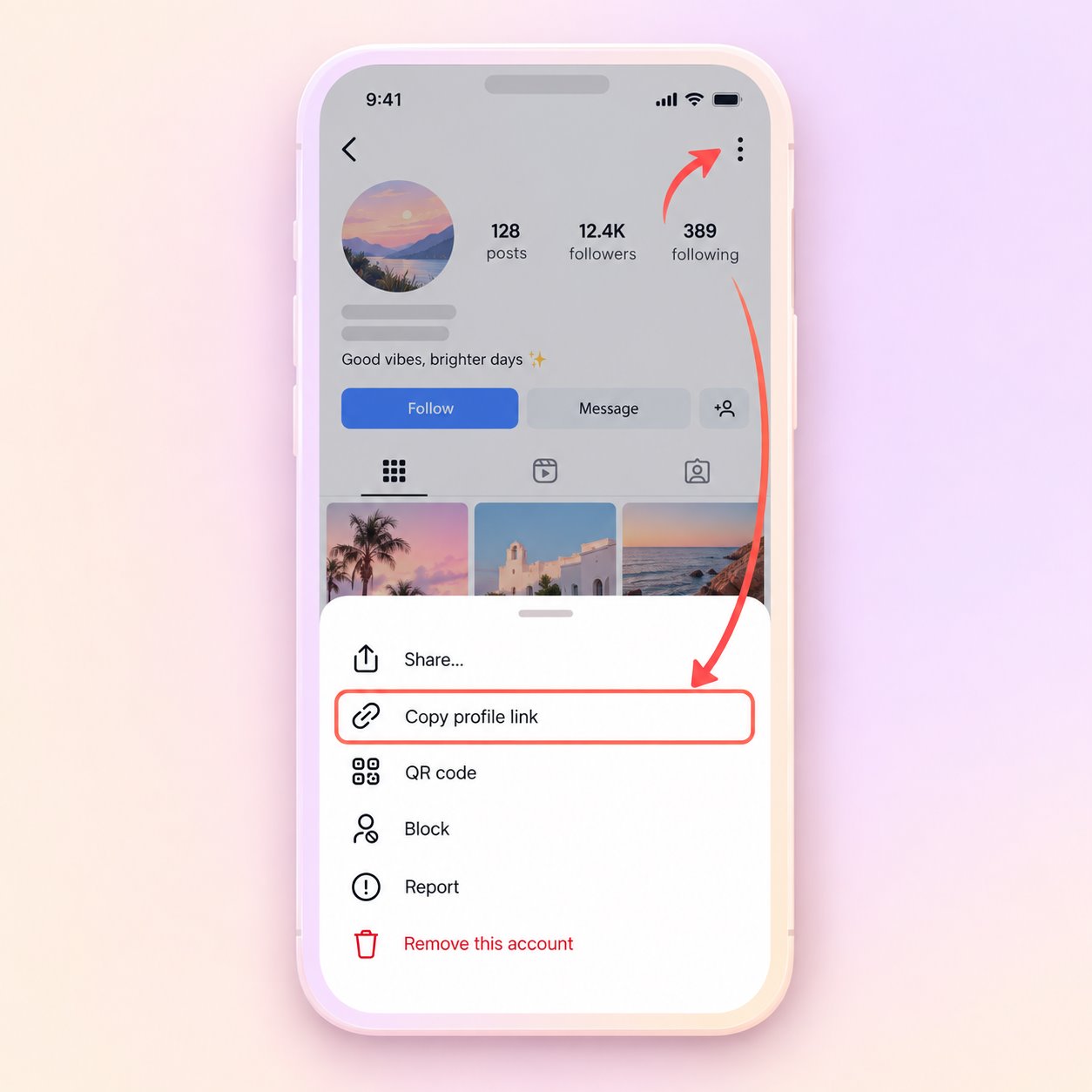
Open the public post or profile, use its share menu and copy the URL. A public username can also be used.
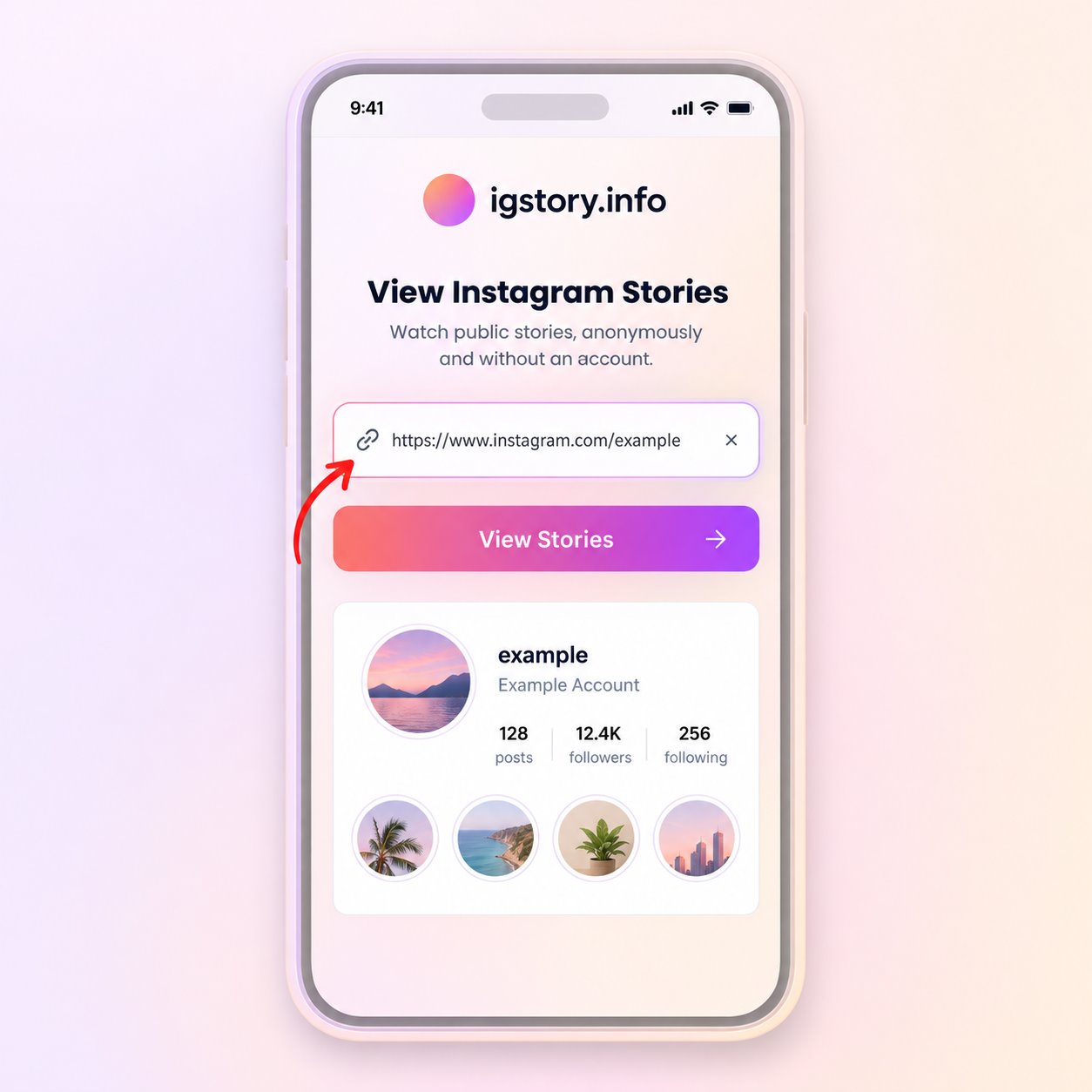
Paste the URL or type the username in the search field, then start the public media lookup.
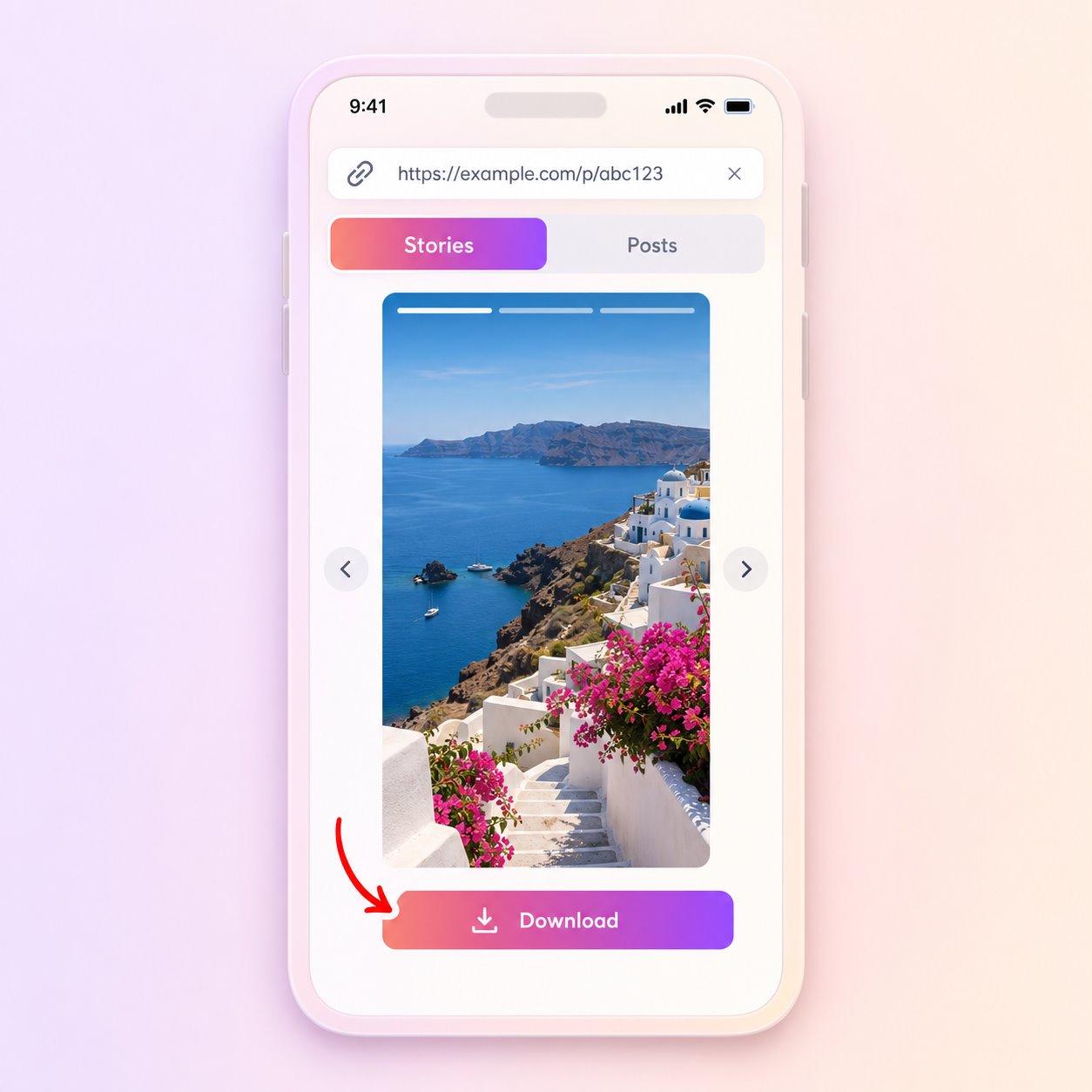
Open the matching result and use Download only when a compatible file is provided by the source.
For short vertical Reels, use the dedicated Reels Downloader. Separating the formats makes the purpose of each result clearer and helps avoid downloading the wrong item.
The tool does not bypass private accounts, access controls or deleted content. It also cannot guarantee that every public item will include a downloadable source file.
Use saved media only when you own it, have permission or otherwise have the right to retain it.
Save an authorized public video when you need to review it without reopening the post.
Keep an available local copy of a video from your own public account.
Retain a permitted reference for research, reporting or production notes.
File format and quality depend on the source version returned for the post. The tool cannot create missing frames, restore an original master or add sound that is absent from the supplied file.
Check the link and public account status before trying the same request again.
Answers about public media, file availability, quality and responsible use.
Yes, when the video post is public and the source supplies a compatible file.
No. This page focuses on standard public video posts; the Reels page is tailored to short vertical videos.
It can include sound when audio is part of the returned source file.
The file may be removed, unsupported or temporarily unavailable from the upstream source.
Not without the necessary rights or permission. Download availability does not grant a commercial license.
Paste a public link or enter a username to check what is currently available.
Find Public Videos